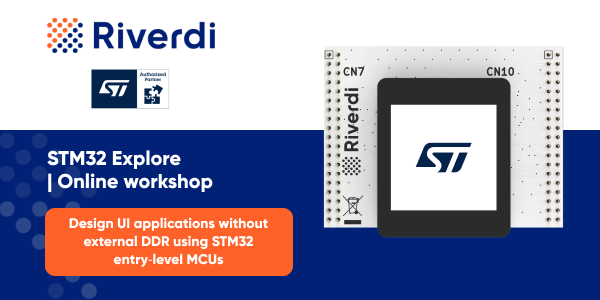
Registered for ST’s workshop on May 21?
Get the official Nucleo 1.54″ display kit from Riverdi — use promo code WORKSHOP for free shipping.
Not registered yet? Learn about the workshop →

Search in category or use the search toolbar.
This manual explains how to change the display backlight intensity in different USB-C modules.
Practical guide to optimizing graphical assets in embedded systems, focused on real-world constraints and trade-offs. Learn how techniques like color depth reduction, asset compression, and partial redraw help reduce RAM usage, Flash footprint, CPU load, and memory bandwidth. The article explains when to use each approach on MCU and MPU/Linux platforms – and highlights that these are just the most common methods, with many more available depending on system design.
USB-C in embedded displays can serve two different roles: as a simple connector (e.g. for touch) or as a full interface carrying video, power, and data. Compared to HDMI + USB setups, a true USB-C display reduces cabling to a single connection but introduces greater complexity in configuration and integration.
On embedded platforms (e.g. Toradex), HDMI-based solutions are typically plug-and-play, while USB-C requires DisplayPort Alt Mode support and proper system configuration. In practice, this choice directly impacts system architecture, number of interfaces, and overall software complexity.
The article explains how to power STM32 embedded displays from Riverdi and why the dedicated POWER connector (P2) is the recommended method. While it is possible to supply power through the expansion connector (P8), it is not designed or protected for this purpose. Using it can lead to instability, power conflicts, or even hardware damage. This approach may work in lab setups, but for reliable and safe operation, the main power input should always be used.
Measuring FPS in embedded systems means tracking how often your system produces a frame – typically by counting iterations of the render loop, display flushes, or buffer swaps, depending on the platform. On MCUs (e.g. STM32), this is usually done with a simple frame counter and timer; in LVGL you can enable built-in monitoring (LV_USE_PERF_MONITOR); and on Linux, timing is often based on buffer swaps or framework tools. It’s also important to define what a “frame” means in your case (render vs display), as this directly affects the result.
SB-C is becoming the standard for embedded displays because it simplifies hardware design by combining video, touch, power, and data into a single cable, eliminating the need for multiple interfaces. This reduces complexity, speeds up development and prototyping, and lowers the risk of connection errors. It also offers high bandwidth and easier integration with modern systems.
However, it’s not without trade-offs – it depends on host compatibility, has power limitations, and relies on cable quality, while offering less low-level control compared to traditional interfaces. It works best in systems where fast deployment and simplicity are priorities, especially with SBCs and Linux-based platforms.
Switching between different STM32 Nucleo boards (e.g. CB071RB and WBA65RI) in Riverdi display kits requires changing the placement of specific 0Ω resistors to ensure correct signal routing. Each board family uses a different resistor configuration, so adapting the display involves moving three resistors while removing three others.
The process must be done carefully with power disconnected and proper ESD precautions, as incorrect configuration can prevent the system from working properly. This simple hardware modification allows one display to support multiple Nucleo platforms, making development more flexible.
aTouch and uxTouch represent two different mechanical integration approaches for mounting displays in a device enclosure.
aTouch uses a traditional module-based design where the display is installed inside the enclosure and mechanically secured with screws, brackets, or frames. Sealing and IP protection depend on the enclosure design and gasket compression. This approach also allows easy servicing — the display can typically be removed by unscrewing it, replaced or repaired, and mounted again.
uxTouch uses a front glass-to-housing mounting concept where the cover glass is bonded directly to the enclosure, usually with adhesive such as 3M 9495LE, providing both fixation and perimeter sealing without front screws. However, once bonded, uxTouch is generally not serviceable and cannot be easily removed without damaging the adhesive interface.
Embedded displays and bare displays represent two fundamentally different system architectures in embedded product design. An embedded display integrates the LCD panel with active electronics such as controllers, graphics processors, interface converters, power management, and touch control, abstracting low-level display timing and signal handling from the main system.
A bare display, in contrast, is only the raw LCD panel with flat-flex connectors, exposing the system directly to video timing, power sequencing, signal integrity, and backlight control requirements.
Choosing between them shifts engineering complexity either into the display module or onto the baseboard. Embedded displays simplify integration and reduce risk, while bare displays lower unit cost but increase hardware, firmware, and validation complexity.
A technical overview of embedded GUI development tools and architectural approaches, covering vendor-specific solutions, cross-platform frameworks, and external graphics controller–based GUIs, with practical examples and system-level context.
This article explains a practical and commonly used approach to screen rotation on STM32 systems using TouchGFX and touch alignment, with optional panel-side correction when required by the physical installation.
SPI is a key communication channel in Riverdi display modules, powering functions such as EVE command transfer, external flash access, and driver configuration.
By following a systematic debugging approach—verifying wiring, reset timing, SPI mode, ID registers, and signal integrity—you can quickly diagnose and resolve most issues.
If additional support is needed, Riverdi’s technical team and documentation are available to assist with integration and troubleshooting.
LVGL provides a powerful way to control the entire look & feel of your application using global styles and a custom theme system.
This article explains how to:
And everything using our standard Riverdi 10″ display.
The Riverdi–Toradex Device Tree Overlays (DTS) repository provides ready-to-use configuration files for connecting Riverdi display modules to Toradex System on Module (SoM) platforms.
It includes a collection of Device Tree Source (.dts / .dtsi) overlays that define display, backlight, and touch controller settings for various Riverdi panels.
Designed primarily for Verdin iMX8M Mini and Verdin iMX8M Plus modules, these overlays can also serve as templates for other SoMs or single-board computers. By using the provided files, developers can enable Riverdi displays on Toradex-based systems without manually writing or debugging complex device tree configurations.
The project follows a modular, reusable design philosophy — each overlay is minimal, clearly documented, and organized by display type and interface, making it easy to adapt to custom carrier boards or alternative SoMs. This approach not only accelerates development but also provides a reliable reference for best practices in Device Tree customization.
Looking ahead, the repository aims to expand support for additional Riverdi panels and display interfaces such as DSI and eDP, and to include automated scripts for overlay generation and validation. By combining verified configurations with community-driven improvements, this project serves as both a practical toolkit and a learning resource for embedded Linux developers working with modern HMI systems.
Display lists are the core of Riverdi’s EVE-based smart displays, enabling efficient and flicker-free graphics rendering. Instead of sending pixel data, the MCU sends compact drawing commands that the EVE controller processes, reducing CPU load and ensuring smooth performance. This architecture delivers deterministic, high-quality visuals across all EVE generations (EVE2–EVE5) and interfaces. With tools like the EVE Screen Editor, engineers can easily design and optimize advanced GUIs for embedded applications.
This manual provides clear, step-by-step instructions on how to rotate the display screen in Riverdi HDMI modules. Screen rotation is often required to adjust the display orientation for vertical or inverted installations, ensuring proper image alignment and usability. Whether you are configuring a Riverdi display for digital signage, a touchscreen interface, or an embedded system, this guide will help you set the correct screen orientation quickly and accurately.
This tutorial addresses a specific issue encountered when using TouchGFX with a particular board revision. TouchGFX, a widely used graphical user interface (GUI) framework for embedded systems, is typically seamless in integration. However, certain board revisions may introduce compatibility problems due to hardware changes, software mismatches, or configuration conflicts.
The purpose of this document is to:
By following this manual, developers and engineers can ensure TouchGFX functions correctly on the affected board revisions and minimize project delays.
In the world of embedded systems, efficiency and reliability are paramount, and STM32 microcontrollers from STMicroelectronics have become a popular choice among engineers and developers alike. With a versatile range of features and a wide selection of peripherals, STM32 microcontrollers can handle tasks from simple sensor monitoring to complex industrial automation. However, to fully unlock the potential of these powerful devices, a streamlined development process is essential. That’s where STM32CubeMX and STM32Cube repositories come into play.
Screen flickering refers to a visual issue where the display rapidly turns on and off or fluctuates in brigthness. This can occur intermittenly or continuosly, often caused by hardware problems, outdated drivers, or incompatible software. Common causes include loose display connections, faulty graphic drivers, or incorrect display settings. Flickering may also result from interference by background applications or screen refresh rate mismatches, impacting user experience and possibly leading to eye strain if unresolved.
Programming a QSPI (Quad Serial Peripheral Interface) involves setting up a microcontroller to communicate with a QSPI flash memory device, usually to store or retrieve data at high speeds. Here’s a high-level guide on how to program a QSPI interface:
Riverdi 5-inch HDMI display, which due to the non-standard screen resolution (800×480) on some operating systems, may require additional software configuration.
Purpose of this manual is to show how to program Riverdi HDMI modules with RTDtool.
Before getting started with the instructions, make sure you have the proper software installed.
The 12.1″ display has a different touchscreen controller than used in previous size versions.
For 12.1″ models, like HDMI, EVE4, LVDS, STM32, Toradex the used controller is ILI2511.
Below is the short information how to adjust this driver in Linux OS systems.
The main board of STM modules 5″,7″,10″ and 12″ has one 1.27mm, 40-pin expansion pin socket which is labeled as
“EXPANSION CONNECTOR”.
While most of our products use the uxTouch design, we have noticed a need for the functionality it gives but in the traditional size. So, to meet our clients’ expectations, we have created the aTouch.
Explanation how to fix problem with not working RS485 on STM 5″ boards PCB 50STM32U5 with revison 1.0.
If you are able to do this by yourself then folowing the steps below should help you solve the problem. If you are not sure or you think you could “mess up” something please contact us for further inforamation.
To start with you need to cut the “roads” as shown on the below picture.
One of our aims is to provide you with an easy and efficient way to create your own applications. This is why we are open to all products and tools that you can work with Riverdi products.
You will find a list of compatible solutions below, from GUI building tools, to development boards and compilers – the EVE Screen Designer from Bridgetech, or the Riverdi click from MikroElektronika, to name a few.
The right kind of touch panel can be crucial to the success of your application and product. It needs to match the environment the device is placed in. It also needs to match the type of application it will be used in. That is why our offer is so versatile.
The RiBUS is the perfect BUS for connecting your product with Riverdi intelligent display solutions. It can run with any size or type of Riverdi intelligent display. Once you have it on your device, you don’t need to worry about changing displays mid-project – it just works.
Simple, efficient, and versatile.
We have two screen enhancement options, designed to give your display that special boost and keep it ahead of the competition.
Projected Capacitive Touch Screens are now the most common type of touch screen used in phones, tablets, and other hand-held devices. This is the technology that allows us to tap, scroll, zoom, pinch, and flick, without even thinking about it. It has changed the way we interact with technology and removed previous barriers.
Optical bonding is a process of affixing the touch panel (or only the protective glass) to the display using a liquid, gel, or dry (film) adhesive. In general, this process improves parameters of the optically bonded LCD module – both the optical performance and its durability.
That is what our smart displays are all about. You can easily choose the type of touch panel, mounting frame, or graphics controllers you want, and have the display perfectly fit within your project.
When you’re thinking about the housing and mechanics your display needs, you need to take into consideration in what kind of environment and in what kind of way it’s going to be used.
For example, if you need a TFT display for your smart home application it’s best to choose something that can be easily mounted to the wall so that the user can quickly and efficiently control the temperature and lighting in their home, over the touch panel.
Our mission of building intelligent display solutions means that we also offer the best graphics controllers on the market to run them. The RGB and LVDS modules are a part of our standard offer, but the Bridgetek EVE4 and Solomon graphics controllers and the Hycon family of touch controllers are a great choice if your project requires a more complex execution.
The variety of our display offer is one of the key reasons our customers keep coming back. They can always find the professional solution for thier projects in Rivedi.
Modules with projected capacitive touch panels have a top layer, called a cover. This part of the module is the most often customized component of the product. It’s the part that allows the display to completely change its appearance. To perfectly blend with the rest of your product design.
Antibacterial surface protection is an innovative and effective solution for displays. It’s the next big step in smart display solutions. Kastus is a leading company in this sector and Riverdi is their advanced partner. We offer 24/7 antimicrobial surface protection technology for all Riverdi displays. Kastus designed and patented antimicrobial coatings to protect surfaces against bacteria and germs.
This manual explains how to update touchpanel firmware using ITS Studio software.
We accept the following payment methods:
CE and FCC marking is typically required for a complete end product.
Riverdi display modules are semi-finished components designed to be integrated into finished products.
Therefore, Riverdi display modules themselves are not CE or FCC marked.
Whether you need a VAT ID and whether VAT applies depends on your location and on whether you are ordering as an individual or a company. Please refer to the table below for details:
Yes, it is possible to have different addresses for billing and delivery. To do that please share additional information on the order in ship to a different address section.
This manual explains how to change the display backlight intenisty in different HDMI modules. Modules have different interfaces that alter the method of setting up them.
If your project requires some special features, different from our standard offer, please contact us using the contact form.
Our uxTouch displays feature a specially designed Projected Capacitive Touch (PCT) panel with a decorative frame that extends beyond the display area.
Key advantages of uxTouch displays include:
When there is a problem with loading project on display, usually error and it’s description is beeing displayed.
Displays without graphic controller have some design constraints, one of them is fixed resolution and timing parameters.
Viewing direction refers to the angle from which a display provides the best image quality.
Gray scale inversion occurs when the display is viewed from a certain angle and the image colors suddenly shift or appear inverted once the viewing angle limit is exceeded.
The description of the display PN is included in the datasheet in the Module Specification Section.
3D files are available on each product page, in the Downloads section.
All documents are available on the product page, below the product’s feature list. You can find:
Riverdi offers a wide range of evaluation boards and add-on boards designed for development and testing of applications on Riverdi displays.
Testing and validating a MSI-DSI display(LCD driver EK79007AD3+EK73217BCGA) in Linux is possible with using a device tree overlay template.
All the files connected to each product are avaiable to download from this link http://download.riverdi.com.
“SM” in front of any part number (PN) simply means Single Module.
Choosing proper zif connector is mostly dependent on how you place your adaptor board.
Riverdi 5-inch HDMI display, which due to the non-standard screen resolution (800×480) on some operating systems, may require additional software configuration. Below is a brief tutorial.
Changing the level of backlight in EVE modules such as RVT101HVB, RVT70HSB, RVT50HQB is possible by controling the special register responsible for backlight level.
All EVE modules require the same 20-pin ZIF connector, 0.5mm pitch, down-side. To connect it, you should use flexible flat cable.
Compared to the FT80x, the FT81x support displays with higher resolution, portrait orientation option, faster data transfer and image/video loading, and more video memory.
Problem is with EVE4 modules, it concerns situation when the driver connects to the flash memory but does not initialze. Sometimes modules are required to work under different environmental conditions. This error occurs in temperature condition such as 5°C.
To understand Embedded Video Engine (EVE) – BT81x, you have to remember that it doesn’t have typical solution, as it is in embedded systems with LCD screens. What does it mean?
The block diagram shown below applies to STM 5″ modules. They are based on STM32U599NJH6Q or STM32U5A9NJH6Q. The description over connection shows to which pin is each element connected.
Changing the level of backlight in STM modules such as RVT101, RVT70, RVT50 is possible by controling PWM signal.
STM modules, to be precise 5″ ones have 2 types of microcontrollers installed on their boards. One is STM32U599NJH6Q and the other is STM32U5A9NJH6Q.
Most common question regarding this module is if those two microcontrollers are compatible with each other and if it is possible to make project in TouchGFX for each of those modules.
Components from the mainboard duing their operation time gain a little temperature increase. Test based on checking each of the available size of the modules, 5″, 7″ and 10″.
Trying to make a new project in TouchGFX sometimes occurs in below error:
TouchGFX Designer is an advanced PC GUI-builder and simulator for STM32 microcontrollers from ST Microelectronics. It is ready-to-use solution to design stunning GUI.
Do you need something else?
Contact us now
Get the official Nucleo 1.54″ display kit from Riverdi — use promo code WORKSHOP for free shipping.
Not registered yet? Learn about the workshop →

Ever faced issues with phantom touch events or certification?
Boost your R&D like a pro with our Whitepaper!
Download our White paper and learn how to: