Table of Contents
Riverdi STM32 Nucleo display kits are made to support multiple development kits variants, but in some cases hardware configuration requires modification.
Specifically, switching between different Nucleo board families (e.g. CB071RB and WBA65RI) requires changing resistor positions on the display board to ensure proper signal routing.
This article explains:
- why the modification is required
- how to perform it
- how to switch between configurations
Important notes before start
- Always perform modification with power disconnected
- Use ESD protection
- Verify continuity after soldering
- Resistors are 0Ω, 0603 package
CB071RB configuration
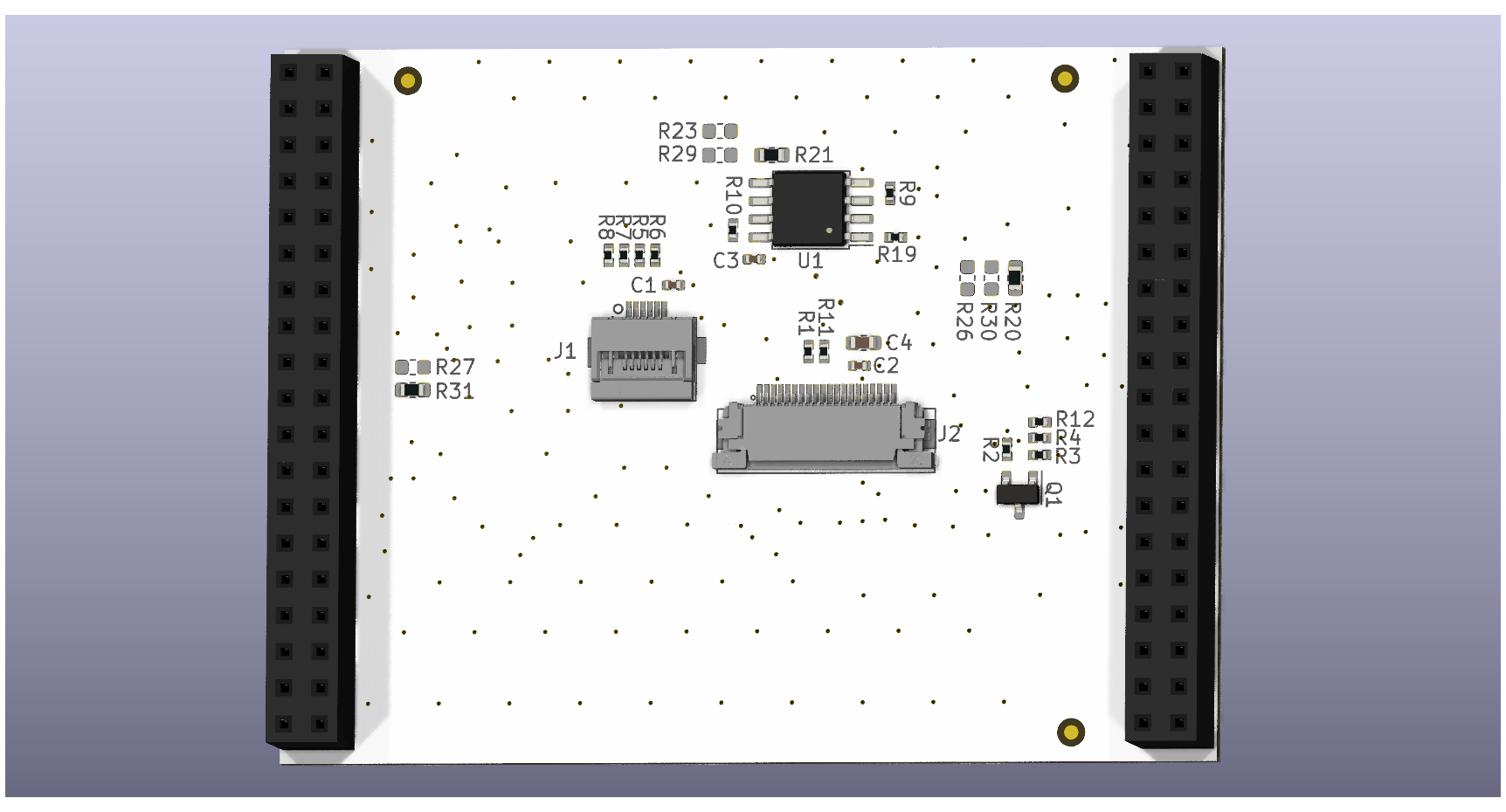
This configuration corresponds to CB071RB-based Nucleo boards.
Resistor placement:
- R20 – populated
- R21 – populated
- R31 – populated
- R23, R26, R27 – not populated
WBA65RI configuration
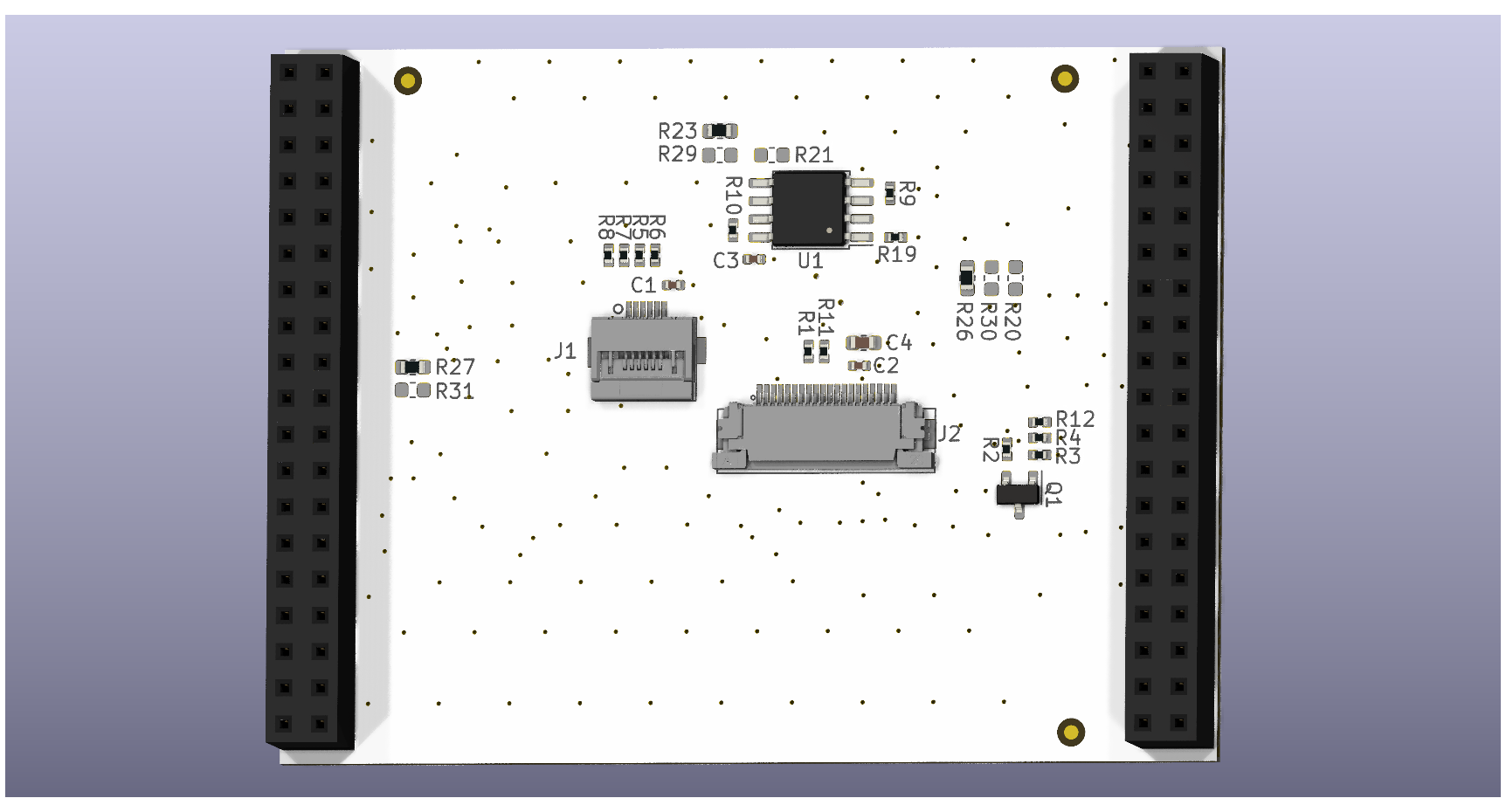
This configuration corresponds to WBA65RI-based Nucleo boards.
Resistor placement:
- R23 – populated
- R26 – populated
- R27 – populated
- R20, R21, R31 – not populated
Compatible display versions
WBA65RI configuration:
- WBA65RI
- WBA55CG
- and more in the future
C071RB configuration:
- C5A3ZG
- C071RB
- C092RB
- G071RB
- G0B1RE
- H503RB
- U083RC
- U385RG
- and more in the future
(last updated in April 2026)
Conclusion
To change between different Nucleo development kits all you have to do is to change the resistors:
- R20
- R21
- R23
- R26
- R27
- R31
Three of them stay, 3 of them have to be removed. That way, with one Riverdi display, you can cover most of the STM32 Nucleo development kit families.
DISCOVER OUR
Whitepaper
Achieve the perfect user-display interaction with the right Touch Sensor IC. Ever faced issues with phantom touch events or certification? Boost your R&D like a pro with our Whitepaper!
Go to our product catalog and see how you can save by quality, not on quality.