Table of Contents
Introduction
An embedded graphical user interface is often understood simply as “graphics on a display”. In practice, it is much more than that. Embedded GUI is a combination of software architecture, rendering strategy, input handling, and hardware capabilities, all working together to present information and accept user interaction in a reliable and predictable way.
Unlike desktop or mobile applications, embedded GUIs operate under strict constraints. Limited CPU performance, restricted memory, real-time requirements, and long product lifecycles all influence how the user interface is designed and implemented. As a result, embedded GUI solutions range from lightweight interfaces running on small microcontrollers to advanced graphical applications running on Linux-based systems.
Because of this diversity, the term “embedded GUI” does not describe a single technology or workflow. Instead, it covers a broad spectrum of approaches that differ in where rendering takes place, how closely the GUI is tied to the hardware platform, and how much flexibility exists for future system evolution.
Three practical categories of embedded GUI solutions
From a system-level perspective, most embedded GUI solutions can be grouped into three practical categories. This classification is not based on specific products or vendors, but on how the GUI is integrated into the overall system architecture.
1. GUI tied to a single hardware ecosystem
In this category, the GUI framework and tools are designed specifically for one family of processors or one silicon vendor. The user interface becomes a natural extension of the hardware ecosystem, with tightly integrated tooling and recommended workflows.
2. Cross-platform GUI frameworks and libraries
Here, the GUI framework is largely independent of the underlying hardware. The same UI codebase can be reused across different microcontrollers or processors, as long as suitable display and input drivers are available.
3. GUI with rendering offloaded to external graphics controllers
In this approach, the main processor does not render the graphical interface directly. Instead, rendering is handled by a dedicated external graphics controller, while the main CPU focuses on application logic and system control.
This three-category model provides a clear and practical way to understand the embedded GUI landscape. It also makes it easier to position specific tools and frameworks based on architectural choices rather than feature checklists.
In the following sections, each category is described in more detail, together with concrete examples that illustrate how these approaches are used in real embedded systems.
GUI tied to a single hardware ecosystem
In this category, the graphical user interface is closely linked to a specific hardware platform or silicon vendor. The GUI framework, development tools, and recommended workflows are designed to work together as part of one coherent ecosystem.
This approach typically provides a high level of integration between the GUI and the underlying hardware. Display drivers, touch controllers, graphics acceleration and memory usage are aligned with the capabilities of a particular MCU or SoC family. As a result, the learning curve is often smoother, especially for teams already familiar with the vendor’s development environment.
GUI solutions in this category are commonly selected for projects where:
- the hardware platform is fixed early in the design,
- long-term support within a single ecosystem is expected,
- development speed and toolchain consistency are important.
Rather than focusing on portability across platforms, these solutions prioritise tight coupling and optimisation within one environment.
TouchGFX for STM32
TouchGFX is a graphical user interface framework developed specifically for STM32 microcontrollers. It is tightly integrated with the STM32 ecosystem and forms a natural extension of ST’s development workflow.
From a developer’s perspective, TouchGFX combines a visual UI design tool with a C++ framework optimised for STM32 hardware. UI screens, animations and interactions are created in the designer, while application logic and hardware configuration are handled through STM32CubeMX and the associated development tools.
This close integration allows the GUI to be designed with a clear understanding of available MCU resources, display interfaces and graphics acceleration features.
Typical characteristics
- GUI framework designed exclusively for STM32
- Visual UI designer combined with embedded C++ code
- Workflow aligned with STM32Cube tools
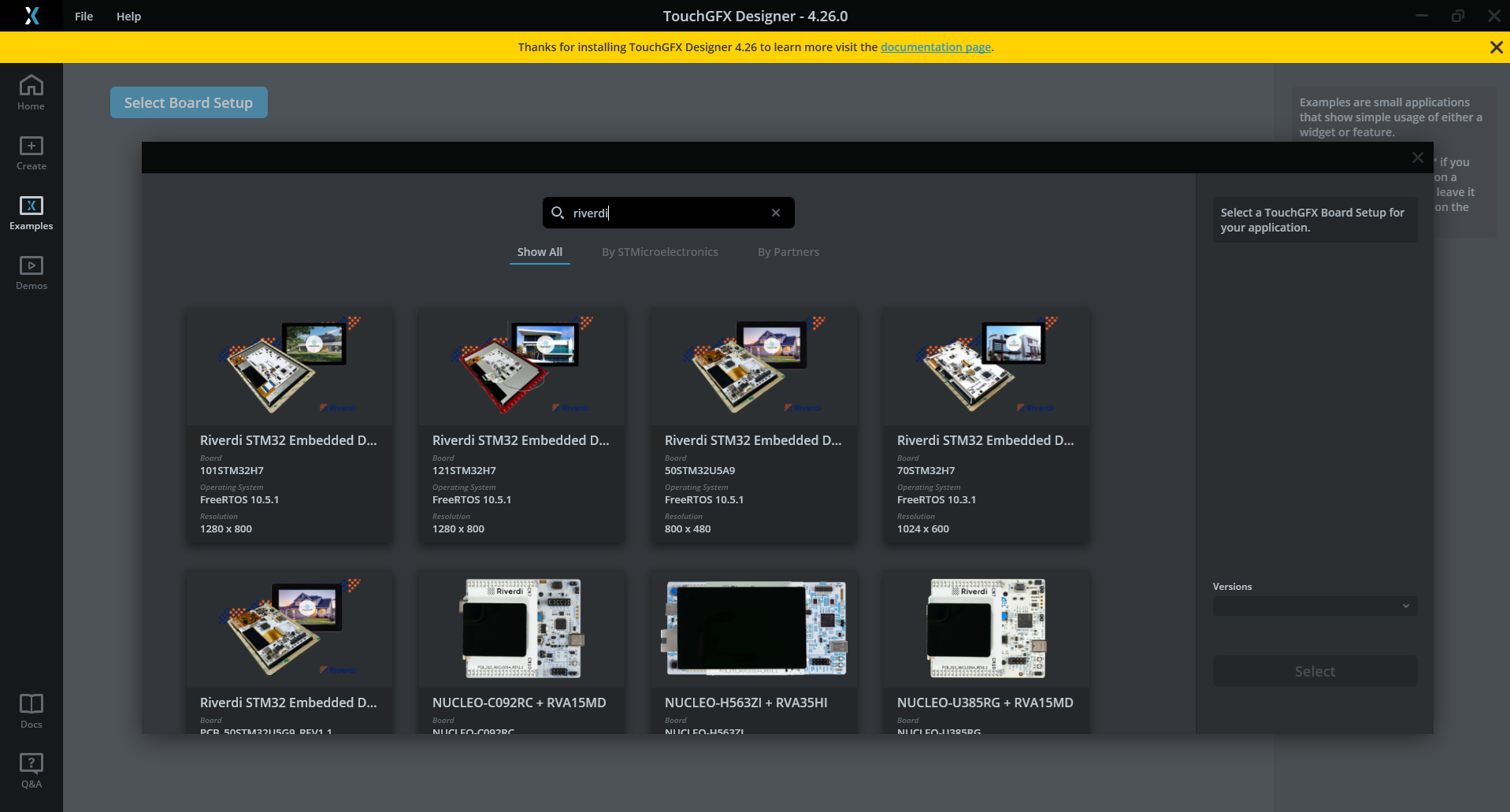
TouchGFX - Board selection tool
If you want to learn more about TouchGFX you can find more informations on the ST website.
NXP GUI Guider
NXP GUI Guider represents a slightly different, but still vendor-centric, approach. While it uses LVGL as the underlying graphics library, the overall workflow remains closely tied to the NXP ecosystem.
GUI Guider provides a drag-and-drop interface for creating screens and defining UI behaviour. The tool generates LVGL-based source code, which is then integrated and built within the MCUXpresso SDK environment. From the user’s point of view, the GUI is created and managed as part of a single, vendor-provided toolchain.
Although LVGL itself is cross-platform, the way it is used here reflects a platform-specific workflow, optimised for NXP microcontrollers and their recommended software stack.
Typical characteristics
- Visual UI creation through a vendor-provided tool
- LVGL used as the rendering engine
- Strong integration with MCUXpresso SDK and NXP platforms
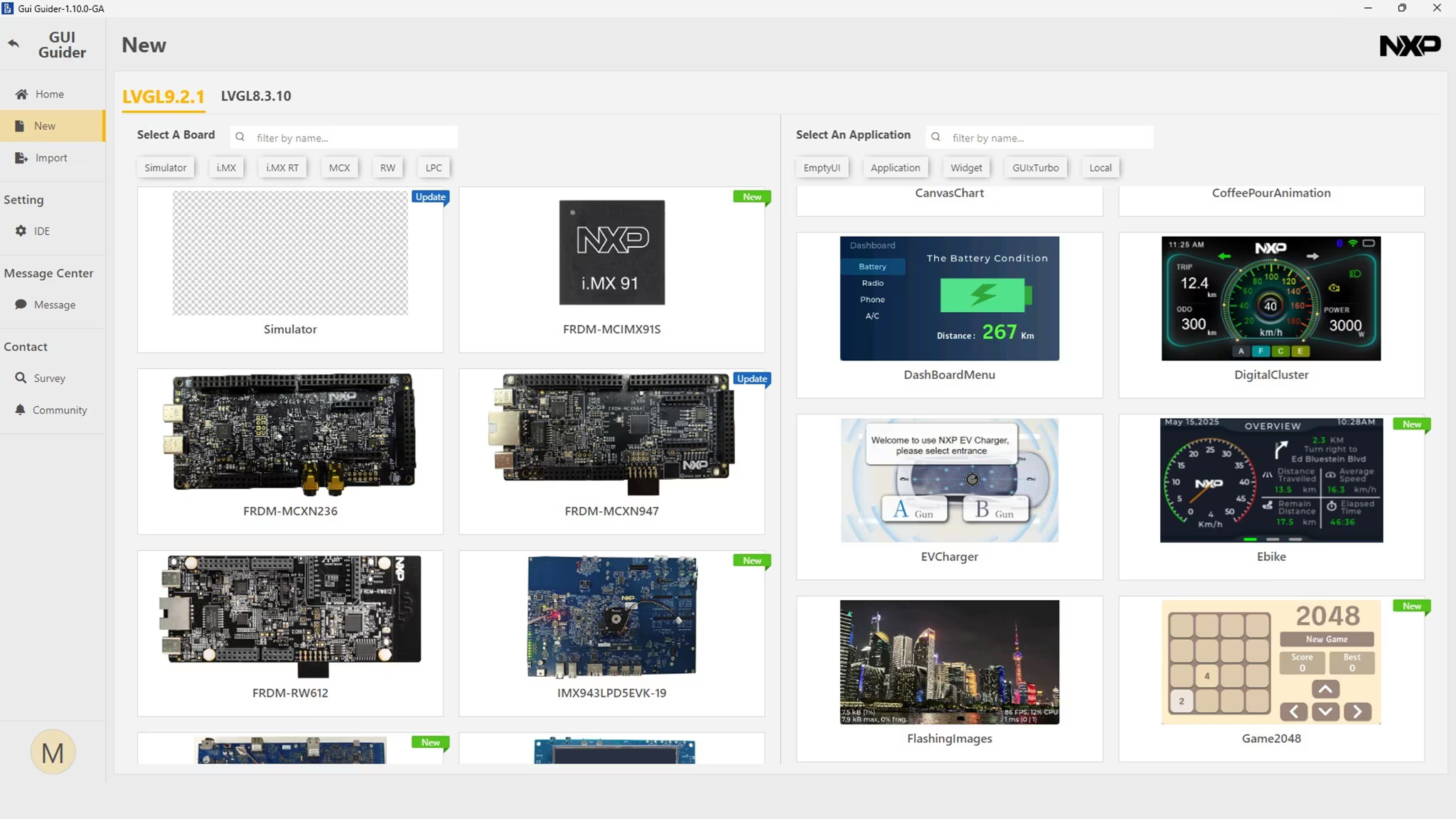
NXP Gui Guider - New project window
You can find out more about NXP Gui Guider on the NXP website.
Other vendor-specific approaches
Similar concepts can be found across the embedded industry. Many silicon vendors offer GUI tools or frameworks that are designed to work best within their own hardware and software ecosystems.
While the specific tools differ, the common idea remains the same:
- the GUI is treated as a native part of the hardware platform,
- tooling and examples are aligned with a specific MCU or SoC family,
- optimisation and ease of use within one environment take priority over portability.
This category continues to be a strong choice for projects where standardisation on a single vendor simplifies development and long-term maintenance.
Cross-platform GUI frameworks and libraries
Cross-platform GUI frameworks take a different approach than vendor-specific solutions. Instead of being tightly coupled to one hardware ecosystem, they are designed to run on multiple platforms with minimal or no changes to the UI codebase.
In this model, the GUI becomes a distinct software layer that sits above the hardware abstraction. As long as suitable display, input, and timing drivers are provided, the same framework can be reused across different microcontrollers, processors, operating systems, and even product generations.
This category is commonly chosen when:
- hardware platforms may change over time,
- multiple product variants share a common user interface,
- long-term maintainability and portability are important design goals.
Rather than optimising for one specific MCU, cross-platform frameworks prioritise consistency and reuse across environments.
LVGL as a cross-platform embedded GUI framework
LVGL is one of the most widely used cross-platform GUI frameworks in the embedded world. It is designed to run on a broad range of systems, from small MCUs with limited resources to MPU-based platforms running Linux.
From an architectural perspective, LVGL provides:
- a unified object model for screens, widgets and styles,
- a flexible rendering pipeline that can be adapted to different display drivers,
- support for both bare-metal and OS-based systems.
Because LVGL is independent of any single silicon vendor, it allows development teams to keep the same GUI logic while changing the underlying hardware platform. This makes it particularly attractive for products that evolve over time or exist in multiple hardware configurations.
Typical characteristics
- Single GUI framework for MCU and MPU systems
- Portable C-based codebase
- Wide range of supported displays, touch controllers and platforms
If you want to find out more, read out Getting started with LVGL or check the documentation at docs.lvgl.io
Qt and Qt Quick in embedded systems
Qt represents a high-level approach to embedded GUI development and is most commonly used in systems based on MPUs running Linux. In this environment, the user interface is treated as a full application layer rather than a lightweight extension of firmware.
At the core of modern Qt-based embedded GUIs is Qt Quick, a framework built around QML, a declarative language for describing user interfaces. Qt Quick separates the visual structure, animations, and interaction logic from the underlying application code, allowing the UI to evolve independently of system functionality.
This approach enables:
- flexible layouts and dynamic scaling across display sizes,
- smooth animations and transitions,
- hardware-accelerated rendering using modern graphics pipelines,
- clear separation between UI design and application logic.
Qt Quick is therefore the primary technology responsible for what is rendered on the screen in contemporary Qt-based embedded systems.
Visual UI creation with Qt Design Studio
An essential part of the Qt embedded GUI workflow is Qt Design Studio, which serves as the main tool for visual UI design and prototyping.
Qt Design Studio allows designers and developers to create user interfaces visually, define animations and states, and preview interactions without focusing on low-level application code. The tool generates QML assets that can be directly integrated into the embedded application.
From a workflow perspective, Qt Design Studio enables:
- visual composition of screens and components,
- timeline-based animation design,
- rapid iteration on look and feel,
- close collaboration between design and software teams.
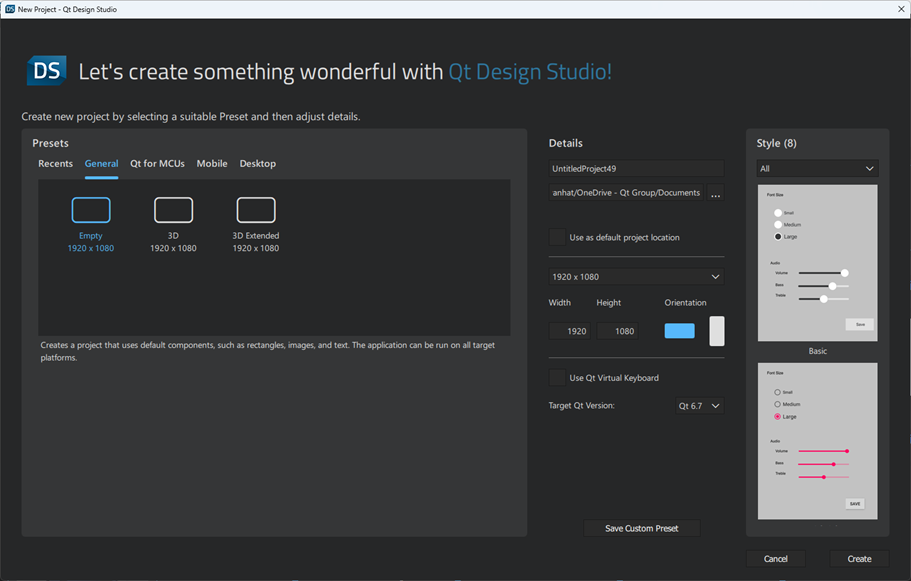
Qt Design Studio
In embedded projects, Qt Design Studio plays a role similar to vendor-specific GUI designers found in MCU ecosystems, but is tailored to the needs of Linux-class systems with more advanced graphical capabilities. You can find more details about this environment at Qt website.
Integration and deployment context
Qt-based embedded applications are typically developed and integrated using Qt Creator, which serves as the main IDE for managing QML, C++, and build configurations. While Qt Creator is not a GUI design tool itself, it provides the environment where UI assets created in Qt Design Studio are combined with application logic.
In commercial embedded products, Qt is often delivered using Qt for Device Creation, which provides a supported runtime, toolchain, and update infrastructure for embedded Linux devices. This packaging simplifies deployment and long-term maintenance but does not directly affect how the GUI is designed.
When Qt is the right choice
Qt-based embedded GUIs are commonly selected when:
- the system architecture already includes an MPU and Linux,
- the user interface is a central part of the product experience,
- modern interaction patterns and rich visuals are required,
- design and software development proceed in parallel.
While Qt requires more capable hardware than MCU-focused frameworks, its combination of Qt Quick and Qt Design Studio provides a mature and scalable environment for building advanced embedded user interfaces.
Other portable GUI technologies
Beyond LVGL and Qt, there are additional portable approaches used in embedded projects, depending on system requirements and team expertise.
These include:
- web-based user interfaces, built with HTML, CSS and JavaScript and displayed using an embedded browser,
- other open or legacy GUI libraries used in long-lifecycle products,
- custom in-house frameworks developed to meet very specific requirements.
While these solutions differ in implementation, they share a common principle:
the GUI is treated as a platform-independent layer, with hardware-specific details abstracted underneath.
GUI with rendering offloaded to external graphics controllers
The third category of embedded GUI solutions is based on a different architectural assumption than both vendor-specific and cross-platform frameworks. In this approach, graphics rendering is not performed by the main MCU or MPU, but is instead delegated to a dedicated external graphics controller.
The main processor communicates with the graphics controller using high-level commands, while the controller itself is responsible for generating the display output and handling touch input. This separates application logic from presentation and removes the need to maintain a framebuffer in the main system memory.
Such architectures are typically chosen when:
- MCU resources are limited or reserved for real-time tasks,
- predictable and deterministic rendering behaviour is required,
- system complexity needs to be kept under tight control.
Rather than scaling performance by increasing CPU or memory resources, this category relies on hardware offloading of the graphical workload.
Bridgetek EVE-based HMIs
Bridgetek’s EVE family is a representative example of this approach. EVE devices act as dedicated display, graphics, and touch controllers, handling rendering, display timing, and touch processing internally.
In an EVE-based system:
- the host MCU sends drawing and control commands,
- the EVE controller builds and executes a display list,
- touch input is processed directly by the EVE device,
- the final video signal is generated directly by the EVE controller.
This architecture allows even relatively small MCUs to drive complex graphical interfaces and handle user interaction without managing pixel buffers, implementing touch algorithms, or performing real-time rendering operations.
Typical characteristics of EVE-based HMIs include:
- no framebuffer in MCU memory,
- integrated touch handling (resistive or capacitive, depending on EVE variant),
- stable rendering performance independent of application load,
- clear separation between UI presentation, touch processing, and application logic.
This makes EVE well suited for classic industrial HMIs, control panels, and devices where robust touch interaction, deterministic behaviour, and system simplicity are key requirements.
EVE Screen Designer as a central part of the EVE workflow
A core element of the Bridgetek EVE ecosystem is EVE Screen Designer (ESE), which plays a central role in how EVE-based user interfaces are created.
EVE Screen Designer is a visual, hardware-independent tool used to design complete user interface screens and interactions without requiring access to the final target hardware. Screens are composed using graphical primitives and widgets that map directly to EVE display list commands.
From a development workflow perspective, EVE Screen Designer enables:
- visual composition of UI screens and navigation flow,
- definition of touch interactions and screen behaviour,
- preview and validation of UI logic before firmware integration,
- generation of UI assets that are later controlled by application code.
Because ESE reflects the underlying EVE rendering model, developers work within well-defined constraints, which helps ensure predictable performance and avoids late-stage optimisation issues.
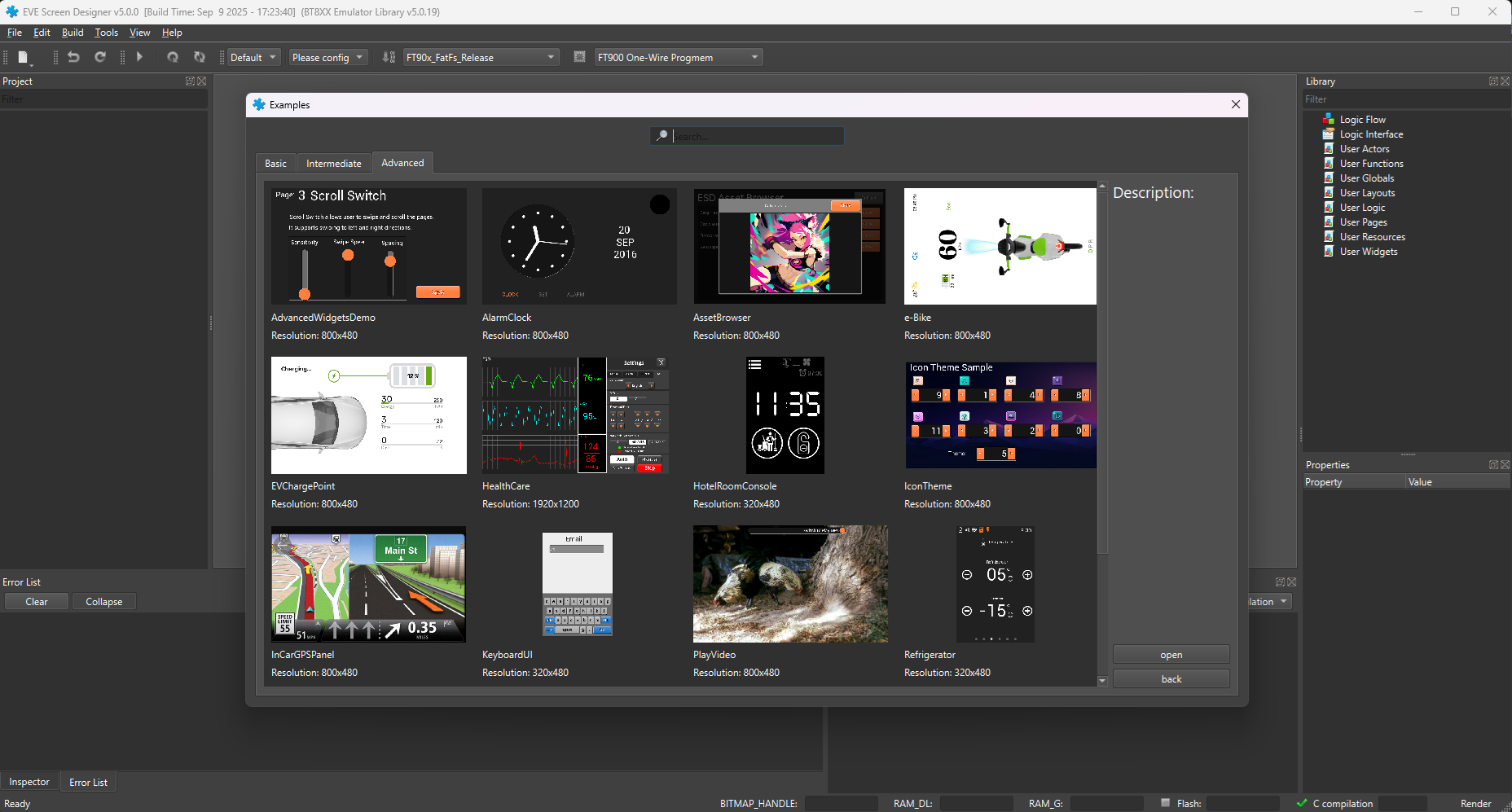
EVE Screen Designer
LVGL running on EVE – a hybrid approach
An interesting extension of the EVE concept is the reference project commonly referred to as “LVGL running on EVE”. In this hybrid approach, LVGL is used as the high-level GUI framework, while the actual rendering backend is handled by the EVE controller.
This concept is demonstrated in a public reference repository, where LVGL is adapted to work with Bridgetek EVE devices.
From an architectural point of view:
- LVGL provides a portable and familiar UI model,
- EVE acts as the rendering engine and display interface,
- the host MCU coordinates application logic and UI updates.
This hybrid model illustrates that the three GUI categories described in this article are not rigid boundaries, but architectural building blocks that can be combined when project requirements justify it.
One display platform, multiple GUI approaches
From a display perspective, the architectural differences described so far do not necessarily require different display hardware.
The same physical display platform can be used with:
- vendor-specific MCU-based GUI solutions,
- cross-platform frameworks running on MCUs or MPUs,
- systems using external graphics controllers,
- Linux-based platforms with Qt or web-based user interfaces.
As long as the display interface and electrical characteristics are compatible, the choice of GUI technology remains a system-level decision, not a display-level constraint.
This flexibility is particularly valuable in long-lifecycle products and product families that evolve over time.
Where Riverdi fits into this landscape
Riverdi focuses on providing display solutions that integrate smoothly with a wide range of embedded system architectures.
Rather than being tied to a single GUI framework or rendering approach, Riverdi displays are designed to support:
- MCU-based systems using vendor-specific or cross-platform GUI frameworks,
- EVE-based architectures with offloaded rendering,
- MPU and Linux-based platforms using Qt or web technologies.
This enables development teams to select or change the GUI approach while keeping the display platform consistent across different projects and product generations.
Conclusion – choosing an architecture, not a limitation
Embedded GUI development is not defined by a single tool or framework, but by a set of architectural choices that balance performance, complexity, and long-term flexibility.
Vendor-specific solutions provide tight integration and fast onboarding.
Cross-platform frameworks enable portability and reuse.
External graphics controllers offer predictable performance with minimal MCU load.
With a well-chosen display platform, these approaches can coexist and evolve over time, allowing teams to focus on system architecture and user experience rather than technical constraints.
DISCOVER OUR
Whitepaper
Achieve the perfect user-display interaction with the right Touch Sensor IC. Ever faced issues with phantom touch events or certification? Boost your R&D like a pro with our Whitepaper!
Go to our product catalog and see how you can save by quality, not on quality.